
Droid Dashcam - Video Recorder
DroidCoolAppsAuto & Vehicles
4.3821.00 Reviews
- Version
- 1.1.37
- Installs
- 1.00M
- Age Rating
- Everyone
Screenshots
Our Review of Droid Dashcam - Video Recorder
 Analysis by Appyee
Ever found yourself in a situation where you wish you had a camera rolling? Whether it’s for capturing a scenic drive or having a trusty backup in case of an accident, a dashcam app can be a lifesaver. Enter Droid Dashcam - Video Recorder, an app that transforms your Android device into a powerful dashcam. Let’s dive into what makes this app tick and why it might be your next download.
Before the first drive: choosing the right setup
A phone can be a practical dashcam when you want coverage without buying a separate camera, but it asks you to plan around the device you already rely on. I’d mount it securely, connect it to power for longer journeys, and check that the camera view includes the road rather than a large stretch of dashboard. A loose mount or a phone placed within easy reach can turn a safety tool into a distraction, so I would set everything before moving.
This is an Android app from DroidCoolApps in the auto and vehicles category. It is free to install, with optional in-app purchases ranging from 99 cents to $7.99 per item. Its Everyone age rating makes it broadly accessible, but the practical question is whether you are comfortable using a phone as a dedicated recorder while driving. I’d also keep in mind that recording continuously can compete with other phone uses, so a spare device is often a better fit than the one you need for navigation or calls.
Getting Started with Droid Dashcam
First things first, installation is a breeze. You’ll find Droid Dashcam - Video Recorder on the Google Play Store, and it’s a quick download. Once you open the app, you’re greeted with a straightforward interface. No need to fumble around; it gets you right into the action. The app is designed to be user-friendly, perfect for those who want a no-nonsense setup.
Features That Stand Out
Alright, let’s talk features. This app comes packed with everything you’d expect from a dashcam and then some. High-definition recording is a given, but what’s really impressive is the range of resolutions you can choose from. Whether you’re saving space or going for clarity, there’s an option for you.
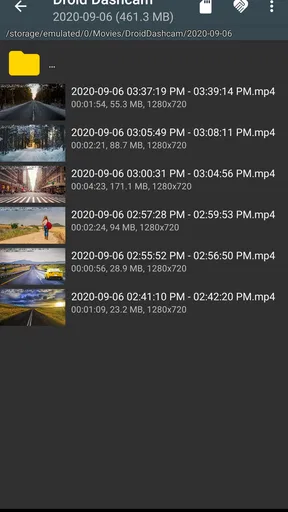
One of the standout features is the loop recording. It ensures you never run out of space by continuously recording and overwriting old footage. Plus, it has a nifty auto-delete function for specific files you no longer need. It’s like having a meticulous file manager working behind the scenes.
A practical recording routine
I’d treat the first trip as a test rather than assuming the default setup will suit every car. Pick a resolution that balances readable detail against available storage, then record a short drive and play it back while parked. Check that the road is visible, the image is steady, and any on-screen information is where you want it. This small check is more useful than discovering after a long journey that the camera was tilted or the audio and view do not meet your needs.
Loop recording makes the app more suitable for regular use than a camera app that simply fills storage until recording stops. Still, it changes how I’d handle important clips: if an incident or unusual moment matters, I’d stop when safe and make sure the file is kept before relying on it later. Automatic overwriting is convenient for routine driving, but it means valuable footage should not be left mixed in with ordinary commutes indefinitely.
Usability and Interface
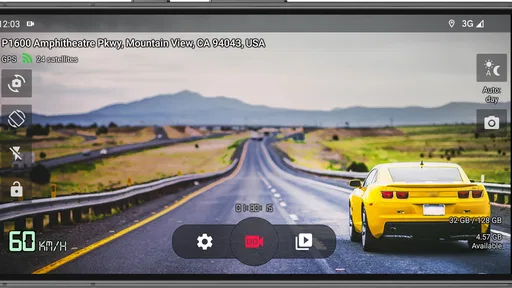
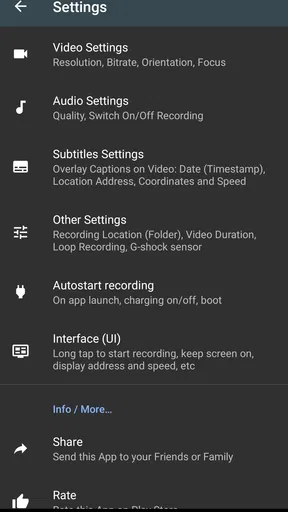
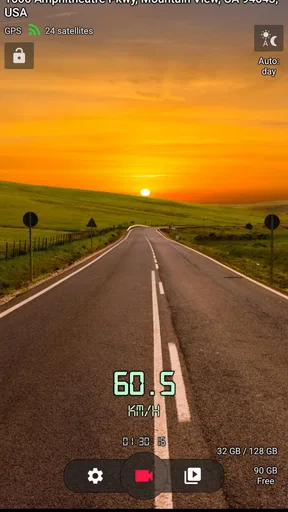
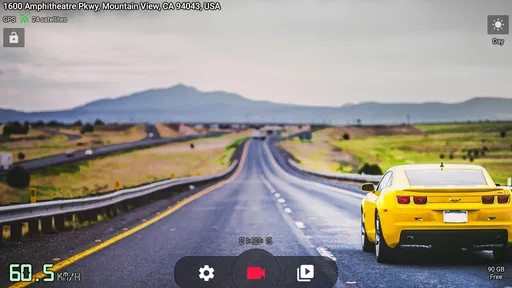
Now, who doesn’t love an app that’s easy on the eyes and the brain? The interface is intuitive, with big buttons and clear icons. You can start and stop recording with just a tap. And if you’re someone who likes customization, you can tweak settings like exposure and video orientation. It’s all about making the app feel like it’s truly yours.
There’s also a handy G-sensor that detects sudden movements or collisions. This feature automatically locks the recording, ensuring that critical footage isn’t overwritten. It’s like having a guardian angel watching over your drive.
Where a phone dashcam fits best
The strongest use case, in my view, is occasional or flexible recording: a rental car, a borrowed vehicle, a scenic route, or a driver who wants to try dashcam coverage before buying dedicated equipment. A phone can move between vehicles, and the adjustable settings let you adapt the picture to different mounting positions. For someone who drives the same route every day and wants a permanently ready camera, a dedicated dashcam is usually more convenient: it can stay mounted and does not take the phone away from navigation or other tasks.
There is a real trade-off between resolution and storage. Higher detail can help when reviewing road signs or vehicle features, but it also makes footage take more room. Looping reduces the need to manage every ordinary trip, yet it cannot remove the need to check important recordings. I’d make a habit of reviewing clips only while parked and clearing or saving them before a long drive if storage is tight.
Performance on the Road
So, how does it hold up when you’re actually out there driving? Pretty darn well. The recordings are clear, capturing details like license plates and street signs with ease. Night mode is surprisingly effective, reducing glare and enhancing visibility in low-light conditions.
One thing I noticed is how smoothly the app runs in the background. It didn’t slow down my phone or drain the battery excessively, which is always a win in my book. It’s like it’s not even there, silently doing its job without fuss.
From recording to reviewing or sharing
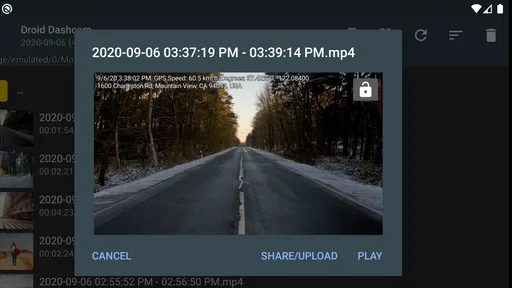
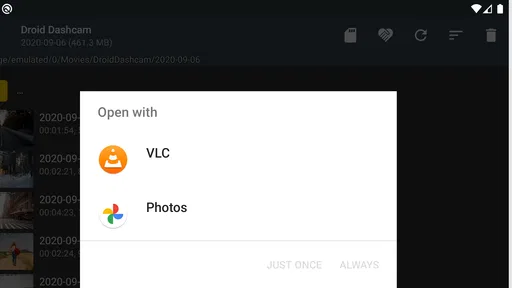
A useful dashcam routine does not end when the car is parked. If something worth keeping happens, the next steps are to locate the clip, check that it captured the relevant moment, and pass it along only if needed. Droid Dashcam’s sharing option can make that handoff simpler than searching through a general camera roll, but I would still review the video before sending it. A clip can include location or speed details, and that information may be more personal than the road footage itself.
For an everyday example, imagine a commute interrupted by a sudden stop. Once parked, I’d check whether the G-sensor locked the recording, play the relevant section, and preserve or share it if it helps explain what happened. I would not assume a phone recording replaces an insurer’s instructions or an official report; it is supporting evidence, not a substitute for following the proper process. The same workflow works for a memorable stretch of road, except there the goal is simply to keep the clip rather than document an incident.
Little Extras That Make a Big Difference
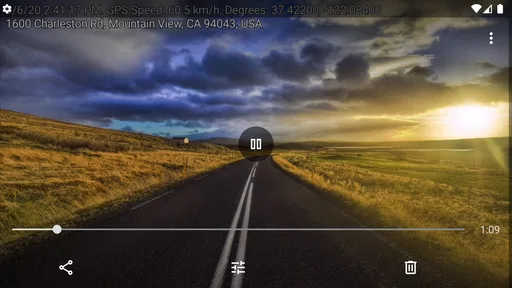
It’s the little things that often make the biggest difference, right? Droid Dashcam offers an overlay option for speed and location data, which can be super handy. Imagine having all that info at your fingertips in case you need it for insurance purposes or just to relive a road trip moment.
There’s also an option to share your videos directly from the app. Whether it’s uploading to social media or sending to a friend, it’s all about convenience. And let’s be honest, who doesn’t love sharing their epic drive with the world?
Limits worth considering
A dashcam app depends on the phone’s camera, battery, storage, and mounting position, so the experience will vary with the device and the car. For a long drive, power and a stable mount matter; for a short outing, setup may feel like more effort than taking a dedicated camera that is already in place. Recording can also occupy the phone while you drive, which makes this a poor choice if you need that same device for another essential task.
There is also a privacy judgment to make. Speed and location overlays can help make a clip more informative, but they can expose details you would not want to share publicly. I’d keep them enabled only when they add value, and check a video before sending it to anyone. A phone recorder is not automatically the right choice for drivers who want a set-and-forget system or who prefer not to handle recordings themselves.
The app has an average rating of 4.4 from around 19,000 ratings, with more than a million installs. It was released in September 2020, and version 1.1.14 requires Android 7.0 or later. Those figures suggest it has found an established audience, but they do not guarantee the same results on every phone; a quick test in your own vehicle is the sensible way to judge fit.
Final Thoughts
When it comes to dashcam apps, Droid Dashcam - Video Recorder ticks all the boxes. It’s reliable, packed with features, and doesn’t demand too much from your device. Whether you’re using it for safety or fun, it’s a solid choice that won’t disappoint.
So, if you’re looking to turn your Android into a trusty road companion, give Droid Dashcam a spin. It’s like having a co-pilot who’s always alert and ready to capture the journey. Happy driving!
Verdict
Strengths of Droid Dashcam - Video Recorder
- User-friendly interface for easy navigation.
- High-quality video recording capabilities.
- Customizable recording settings available.
- Automatic video loop recording feature.
- Supports external storage options.
Limitations of Droid Dashcam - Video Recorder
- Consumes a lot of battery power.
- Requires significant storage space.
- Limited editing features within app.
- Occasional app crashes reported.
- Ads can be intrusive during use.
Similar Picks in This Category
View All
Android Auto
Google LLC4.1

maxim — order a taxi & food
PT. SITO4.7

Штрафы ГИБДД: проверка с фото
Pays LLC – Штрафы ГИБДД4.7

Номерограм – проверка авто
Авто Ассист4.8

Дром Авто
Дром4.9

Frequently Asked Questions
What features does Droid Dashcam offer?
Droid Dashcam provides a comprehensive suite of features designed for capturing video while driving. It includes loop recording, GPS tracking, speed overlay, and sensor data integration. Users can also customize video quality settings and manage storage space efficiently. The app is designed to be user-friendly, making it accessible even to those with minimal tech experience.
Is Droid Dashcam easy to install and use?
Yes, Droid Dashcam is straightforward to install and use. The app is available on both Android and iOS platforms, and you can download it from the respective app stores. Once installed, the interface is intuitive, allowing users to start recording with minimal setup. A step-by-step guide is also provided to assist with initial configuration.
Does Droid Dashcam affect battery life or phone performance?
While Droid Dashcam is optimized for performance, recording video can be resource-intensive and may impact battery life and phone performance. It is advisable to use a phone charger while operating the app for extended periods. Additionally, ensuring your device has enough storage and processing power will help maintain smooth operation.
Can Droid Dashcam recordings be used as legal evidence?
Recordings from Droid Dashcam can be used as legal evidence in many jurisdictions, but it's essential to check local laws regarding dashcam usage and admissibility in court. The app provides high-quality video and metadata, such as GPS and speed, which can support evidence submission. Always ensure compliance with privacy and recording laws.
How does Droid Dashcam handle data privacy?
Droid Dashcam takes data privacy seriously, offering users control over what data is recorded and stored. Videos and GPS data are stored locally on your device unless you choose to upload or share them. It's important to review the privacy settings within the app to ensure they align with your preferences, especially concerning data sharing.
